

Data Analysis and Graphs
The input to the analyzer tool is a quantum program in OpenQasm or Cirq format. The analysis data and graphs can be accessed using Classiq’s Python SDK. After synthesizing a quantum program, initialize theAnalyzer class using the quantum program
returned from the synthesis process.
Graphs and Data
Quantum programs are more than just a beautiful image; they are meant to run on real quantum hardware to solve and supply interesting and new answers. The hardware analysis supplies two main insights.Available Devices
To perform hardware-aware analysis, you may want to know which devices are available using the platform. You can get a list of the devices that are both available and suit the quantum program (i.e., have a sufficient number of qubits).Hardware-Circuit Connection
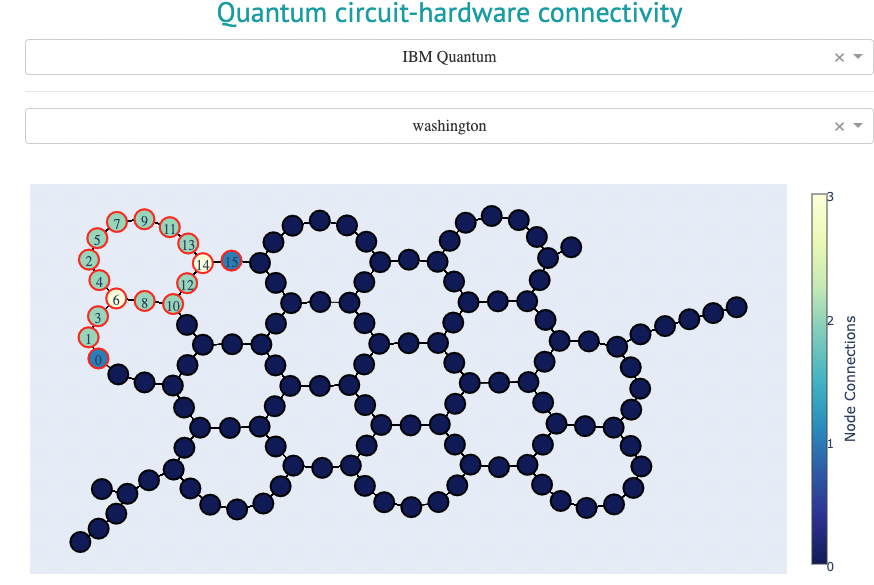
The Hardware-Circuit Connection graph is a representation of a quantum program as implemented on a specific (physical) quantum device. You can interactively select hardware from hardware providers such as IBM Quantum, Amazon Braket, and Microsoft Azure. The analyzer compiles the quantum program for the selected hardware, allowing easy inspection of which physical qubits will be used for execution on the device and, in turn, modifying the quantum program if needed. This information is important if you want to execute the quantum program on real quantum hardware, so you can make modifications to the quantum program. This graph is accessible from the SDK only if you install theanalyzer_sdk
extension with the
pip install classiq[analyzer_sdk] command and use Jupyter as your coding
platform. Once the extension is installed, run this command:
Hardware Comparison Table
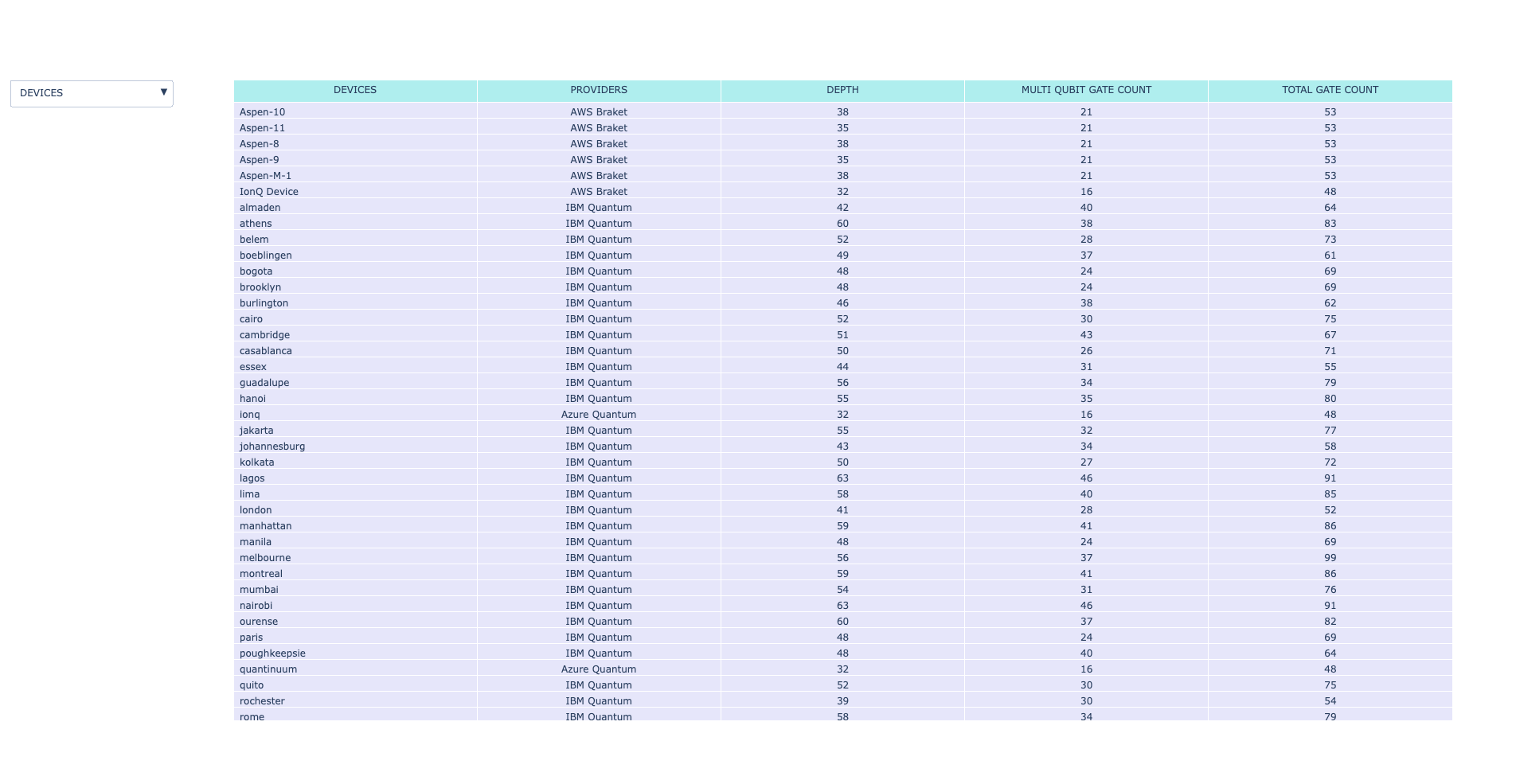
The hardware comparison table compares the transpiled quantum program on different hardware backends. The table includes information about the quantum program’s depth, number of multi-qubit gates, and total number of gates.providers variable is a list of providers (“IBM Quantum”, “Azure Quantum”,
and “Amazon Braket”), where the table includes only the backends of providers that
appear in the list, and the default is to use all the providers.
The table has the following form:
note
note
Using the default device/providers option (all) or comparing a large
number of devices might take a long time, especially when analyzing large quantum programs.
It is advised to compare a small number of devices when you are interested in analyzing large quantum programs.
note
note
The difference between the transpilation in the synthesis process and the comparison table data originates from the fact that the comparison table data is aware of the specific hardware and considers information such as the basis gates and connectivity.