

Managing Execution Budget
Enrolled users can run quantum programs on multiple backends without needing to provide their own credentials, by usingrun_via_classiq.
When a job is submitted using run_via_classiq, it will only proceed if the estimated cost is within the remaining budget allocated for the chosen provider.
Additionally, we offer methods to monitor usage and set limits, helping you control and optimize your spending.
For example, to set up execution using run_via_classiq on the Amazon Braket SV1 simulator:
Checking the Remaining Budget
To view your remaining execution budget, run the following command: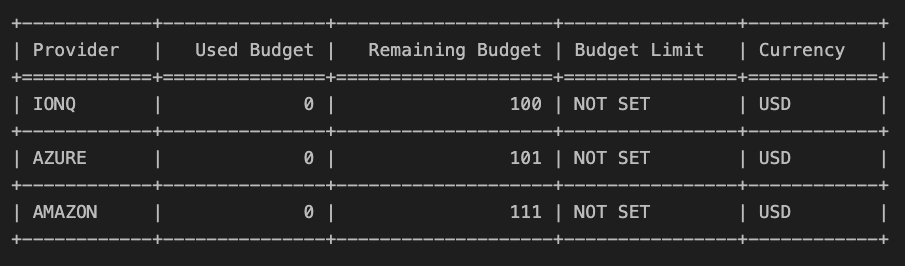
Setting a Custom Budget Limit
You can also define a custom spending limit to stay within a desired budget (lower than your total budget). For example:print(budget) again. The output will now reflect the new budget cap:
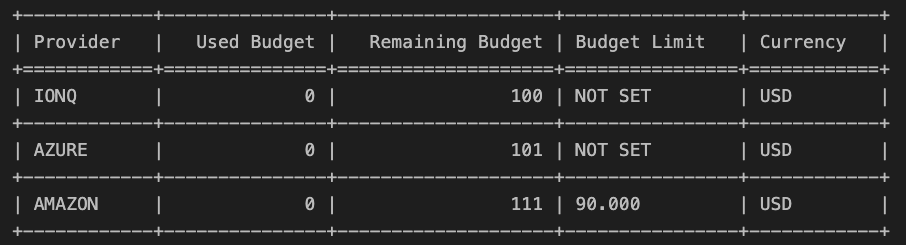
clear_budget_limit("Amazon Braket").